Bluetooth Star Projector Guide: Best Lights & Sound for 2026
 FACEBOOK
 TWITTER
 LINKEDIN
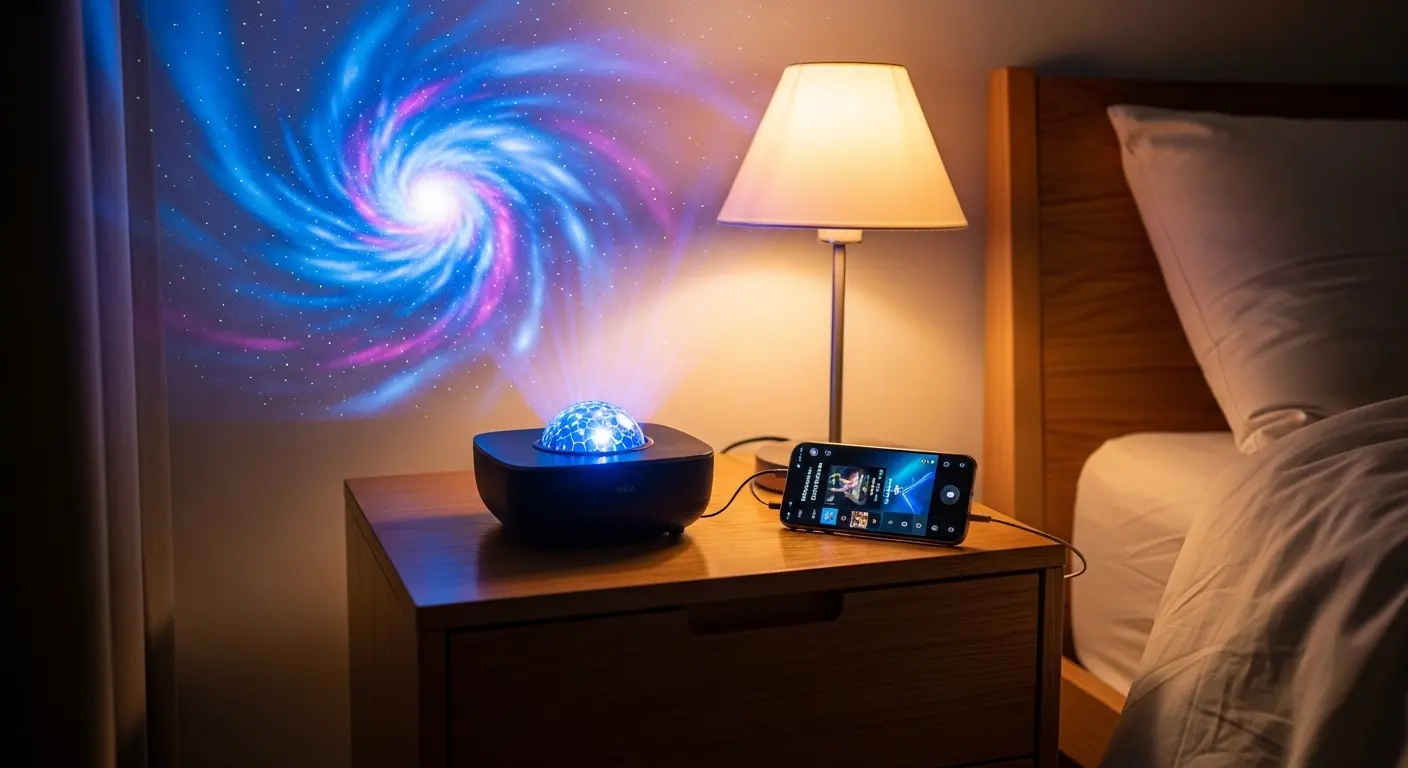
A Bluetooth star projector changes how you experience your home by merging immersive light shows with your favorite sounds. Whether you want to drift off to sleep under a nebula or host a high-energy party, these devices offer a sensory experience that standard lamps cannot match. I remember the first time I plugged one in; the way the blue gases swirled across my ceiling while a lofi playlist played through the built-in speaker completely shifted the vibe of my studio apartment. It wasn’t just a gadget; it became the center of my relaxation routine.
Is a Bluetooth star projector the right choice for your bedroom?
A Bluetooth star projector is perfect if you want a dual-purpose device that handles both visual ambiance and audio. It replaces the need for a separate night light and a small portable speaker. These devices project realistic galaxies while playing music, white noise, or podcasts directly from your smartphone or tablet.
Most people find that the convenience of controlling both light and sound from one unit simplifies their space. Instead of clunky setups, you get a single sphere or “astronaut” shaped device that fills the room with color. If you enjoy falling asleep to the sound of rain or waking up to a simulated sunrise with soft acoustic music, this is the tool for you.
When I started testing these, I noticed that the speaker quality varies. Some cheaper models sound a bit tinny. However, the mid-range and high-end options now offer surprisingly deep bass and clear trebles. This makes them great for more than just sleep. You can use them for yoga sessions, gaming setups, or even as a backdrop for filming social media content.
How do you sync a Bluetooth star projector with your phone?
To sync your Bluetooth star projector, turn on the device and enter “pairing mode,” which is usually the default setting. Open the Bluetooth menu on your smartphone and select the device name, often listed as “Star Projector” or a specific model number. Once connected, any audio played on your phone will stream through the projector.
The process is usually very fast. Within ten seconds of unboxing, you should be able to hear your music. Some newer 2026 models even have “Auto-Connect” features. This means once you pair it the first time, it will recognize your phone the moment you walk into the room and turn the light on.
Steps for a flawless connection:
- Power On: Plug the projector into a stable wall outlet.
- Enable Bluetooth: Make sure your phone’s Bluetooth is visible to new devices.
- Select Device: Look for the specific ID mentioned in your user manual.
- Test Audio: Play a song to ensure the volume is adjusted on both the phone and the projector.
If you have trouble connecting, try “forgetting” the device in your settings and restarting both the phone and the projector. Interference from other wireless devices like routers or microwaves can sometimes cause a stutter in the audio, so keep the projector a few feet away from high-traffic electronics.
What are the top features to look for in a 2026 star projector?
The best features in a Bluetooth star projector include high-definition glass lenses, app integration, and “Sound Activation” modes. Look for devices that offer a wide range of nebula colors and adjustable rotation speeds. A high-quality internal speaker with Bluetooth 5.0 or higher ensures a stable connection without audio lag during movies or games.
As technology improves, we are seeing more “Smart” features. You can now find units that work with voice assistants. This allows you to say, “Turn on the galaxy,” and have the room light up instantly.
Essential Features Comparison Table
| Feature | Why It Matters | Best For |
| Glass Optics | Provides sharper, clearer star points. | High-end home theaters. |
| Sound Activation | Lights pulse and change color to the beat. | Parties and dance floors. |
| Auto-Off Timer | Saves energy and helps with sleep hygiene. | Kids’ bedrooms and nurseries. |
| App Control | Allows for custom color mixing (RGB). | Creative lighting enthusiasts. |
| Rechargeable Battery | Makes the device portable for camping. | Outdoor use or cord-free setups. |
For a deep dive into the most current tech, check out our list of the Best Star Projectors for Home in 2026.
Can a Bluetooth star projector help you sleep better?
A Bluetooth star projector aids sleep by creating a predictable, calming environment that triggers the brain’s relaxation response. By combining slow-moving visual patterns with soothing white noise or “pink noise” via Bluetooth, you can mask external sounds like traffic. The dimmable light settings also prevent the harsh blue light of phone screens from disrupting your melatonin.
I personally use the 20-minute timer. I set the nebula to a deep, slow-moving violet and play a “Deep Sleep” playlist. By the time the projector shuts off, I am usually already in a deep sleep. This routine helps signal to my body that the day is over.
For parents, these are absolute lifesavers. If you have a child who is afraid of the dark, a star projector provides a comforting glow that isn’t too bright. You can find specialized advice on this in our guide on the 10 Best Star Projectors for Kids.
How do you create a romantic atmosphere with a star projector?
To create a romantic atmosphere, set your Bluetooth star projector to a warm color palette like red or soft pink and slow the rotation speed to its lowest setting. Use the Bluetooth speaker to play soft jazz or acoustic tracks at a low volume. The combination of “moving stars” and music creates an intimate, private planetarium feel.
Adding a star projector to a date night at home is a low-effort, high-reward move. It completely changes the architecture of the room. Instead of looking at four walls, you are looking at the infinite cosmos.
Many couples use these for anniversary dinners or even just a quiet night in. If you want more specific ideas on setting the mood, read our article on the star projector for couples.
What is the difference between laser and LED star projectors?
The difference lies in the clarity and “depth” of the image. A Bluetooth star projector often uses a laser for the stars and an LED for the nebula clouds. Lasers produce sharp, distinct points of light that can travel long distances. LEDs provide the broad, colorful washes of light that form the “gas” of the galaxy.
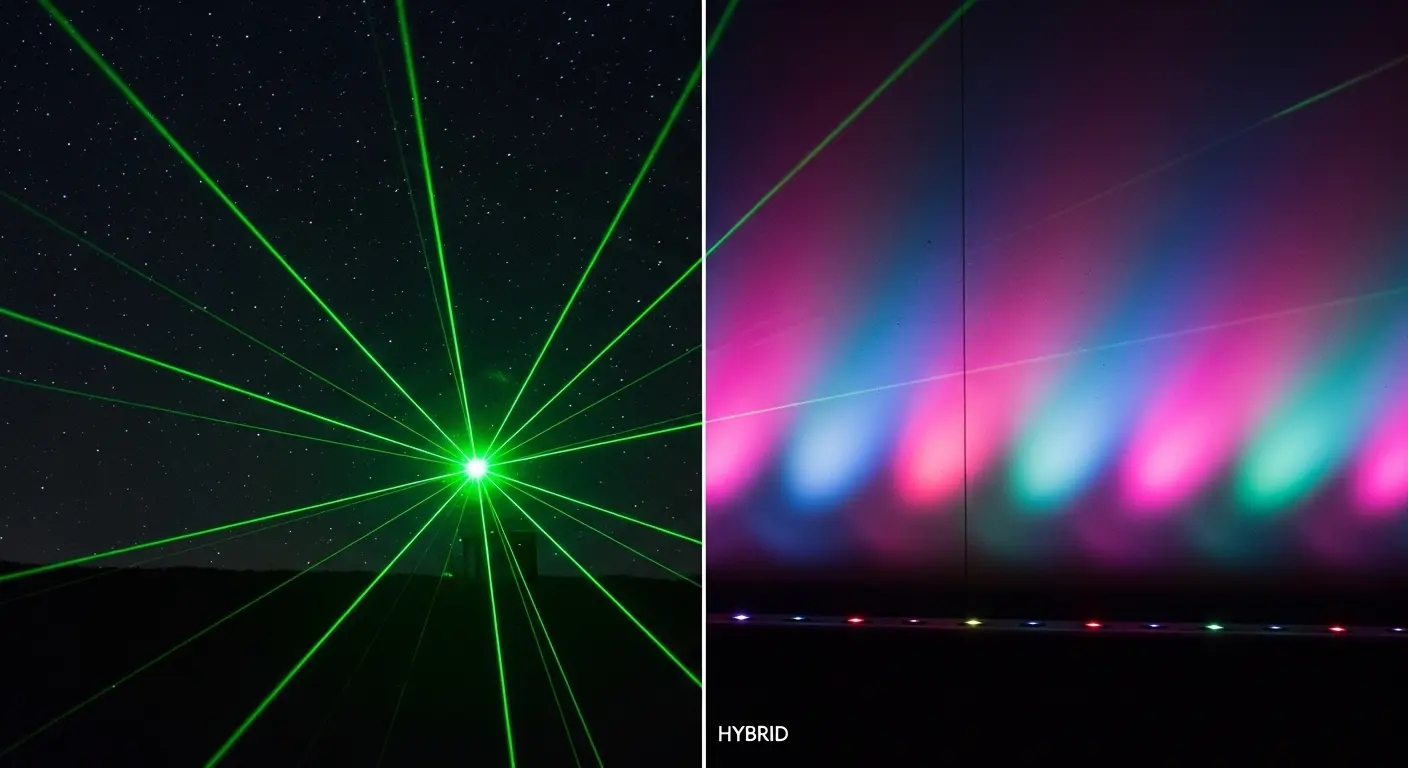
Laser vs. LED: A Quick Breakdown
- Laser Stars: These are usually green or blue. They stay sharp even on high ceilings. They look more like a real night sky.
- LED Nebulas: These provide the color. You can often mix colors (Red, Green, Blue, White) to create custom shades like teal or purple.
- Hybrid Models: The best units use both. They give you the “pop” of the laser stars against the soft, flowing background of the LED nebula.
Most modern star projectors are hybrid models. They give you the best of both worlds, ensuring the image doesn’t look flat or blurry.
Why does my Bluetooth star projector keep disconnecting?
Bluetooth disconnection usually happens because of signal interference, low battery, or being out of range. Ensure your phone stays within 30 feet of the projector for a stable connection. If the audio cuts out, check if other nearby devices (like a wireless mouse or a smart fridge) are trying to “grab” the Bluetooth signal.
I found that if I leave my phone in the kitchen while the projector is in the bedroom, the music stutters. This is because walls degrade the Bluetooth signal. Keep your device in the same room for the best results.
Troubleshooting Checklist
- Check Battery: If it’s a portable model, plug it in. Low power often kills the Bluetooth chip first.
- Update Software: If the projector has an app, check for firmware updates.
- Clear Obstructions: Don’t hide the projector behind a couch or inside a cabinet.
- Reset Pairing: Hold the Bluetooth button for 5 seconds to clear the memory and try again.
How do you clean and maintain your star projector?
To maintain your Bluetooth star projector, wipe the lens with a dry microfiber cloth once a week. Dust on the lens can cause the stars to look blurry or “fuzzy.” Avoid using liquid cleaners or glass sprays directly on the unit, as moisture can seep into the internal speaker or the laser housing and cause a short circuit.
Since these devices have fans to keep the internal bulbs cool, they can sometimes suck in dust. Using a can of compressed air to blow out the vents every few months will keep the motor quiet. A noisy motor is usually a sign that dust is caught in the fan blades.
Maintenance Tips
- Keep it Upright: Don’t leave it on its side, as this can misalign the internal rotating motor.
- Cool Down: If you run it for more than 6 hours, give it a 30-minute break to prevent the LEDs from overheating.
- Cord Care: Don’t wrap the power cord too tightly, as this can fray the internal wires.
Where is the best place to put a star projector in a room?
The best placement for a Bluetooth star projector is in the center of the room on a low table or the floor. This allows the light to spread evenly across all four walls and the ceiling. If you place it in a corner, the image will be distorted and “stretched” on the nearby walls while leaving the rest of the room dark.
If you have a large master bedroom, try placing it on a nightstand but tilting it toward the center of the ceiling. Many projectors have a flat base with multiple angles, allowing you to “aim” the galaxy exactly where you want it.
For the best audio experience, keep the projector away from thick curtains. Fabric absorbs sound, which can make your music sound muffled. A hard surface like a wooden desk or a plastic shelf will help the sound bounce and fill the room more effectively.
Are Bluetooth star projectors safe for children’s eyes?
Most Bluetooth star projectors are safe for children because they use Class 1 or Class 2 lasers, which are low-power. However, you should never look directly into the lens while the device is on. It is important to place the projector on a high shelf where a toddler cannot reach it or stare straight into the light source.
When I set these up for my nieces, I always make sure the beam is pointed away from their beds. This way, they see the “stars” on the ceiling but the actual light source is hidden behind a lamp or a book.
Safety Rules for Families
- No Staring: Teach kids that the “magic box” isn’t for looking into.
- Secure Cords: Use cord covers so babies can’t pull the device off a table.
- Use Timers: Don’t leave the laser running for 24 hours straight; use the 1-hour or 2-hour auto-shutoff.
Is a Bluetooth star projector better than a standard galaxy lamp?
A Bluetooth star projector is superior to a standard galaxy lamp because of its versatility and interactivity. Standard lamps only offer static or slowly moving lights with no audio. A Bluetooth model allows you to sync your environment, meaning the lights can react to your music, creating a much more “alive” atmosphere.
Think of a standard lamp as a picture on the wall. It’s nice, but it stays the same. A Bluetooth projector is like a cinema. It changes based on what you are listening to. If you play a fast song, the lights can flash and change colors. If you play a slow song, they can fade in and out.
The price difference is usually minimal—often only $10 to $20 more for the Bluetooth version. In my experience, that extra cost is worth it for the speaker alone.
What music works best with a star projector light show?
The best music for a Bluetooth star projector depends on the mood: Lo-fi beats and ambient nature sounds work best for relaxation, while synthwave or upbeat pop works best for parties. Because the lights move in a rhythmic, circular motion, music with a steady tempo feels the most “in sync” with the visuals.
Top Genres for Your Projector
- Lo-fi / Chillhop: Perfect for studying or reading. The slow nebula movements match the relaxed drums.
- Classical / Piano: Creates a sophisticated, calm vibe for winding down.
- Space Ambient: Makes the room feel like a real spaceship. Look for “Deep Space” sounds on YouTube or Spotify.
- Electronic / EDM: If your projector has a “Music Sync” mode, the lights will flash to the bass drops.
How can you use a star projector for gaming?
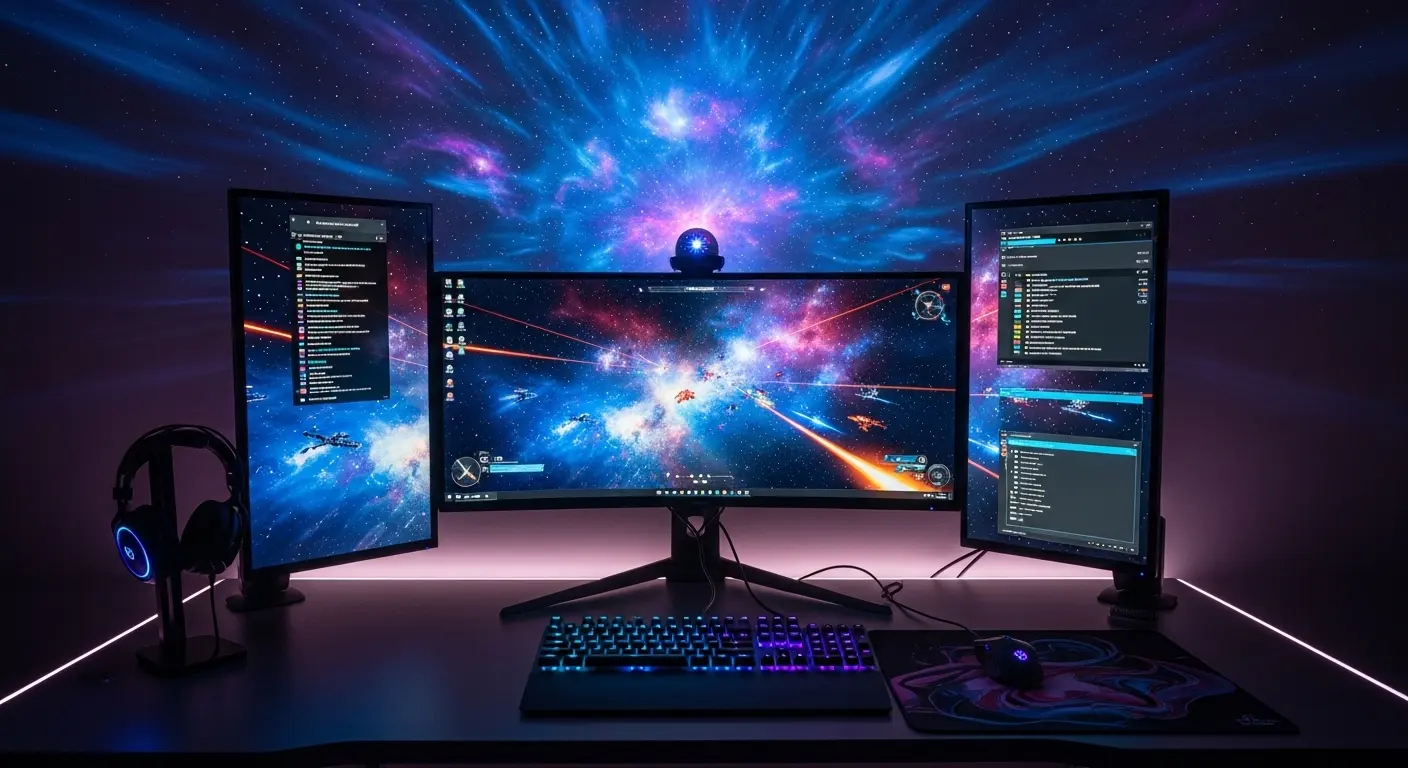
Using a Bluetooth star projector in a gaming setup adds a layer of “immersion” that standard RGB strips cannot provide. By casting a deep blue or purple nebula behind your monitor, you reduce eye strain and make the room feel like an extension of the game world. If you play space-themed games, it feels like you are actually in the cockpit of a ship.
I’ve seen gamers place the projector behind their desk so the light “explosions” on the ceiling match the action on the screen. If you connect your PC or console audio to the projector via Bluetooth, the sound-activation feature will make the stars pulse every time there is an in-game explosion or a heavy soundtrack beat.
Summary of Benefits
Choosing a Bluetooth star projector is about more than just lighting; it’s about controlling the “feel” of your home. It’s a tool for better sleep, a companion for your music, and a way to make any room feel much larger than it actually is.