Adjustable Brightness Galaxy Projectors for Perfect Ambience
 FACEBOOK
 TWITTER
 LINKEDIN
An adjustable brightness projector is the cornerstone of a truly versatile and comfortable ambient lighting experience. While the vibrant colors and swirling patterns of a galaxy projector capture the imagination, it is the ability to control the intensity of the light that unlocks its full potential. This single feature is the key to adapting the device to any situation, from a brightly lit social gathering to the serene darkness of a pre-sleep wind-down. A projector without granular brightness control is a one-trick pony; a projector with it is a masterful instrument of atmospheric design.
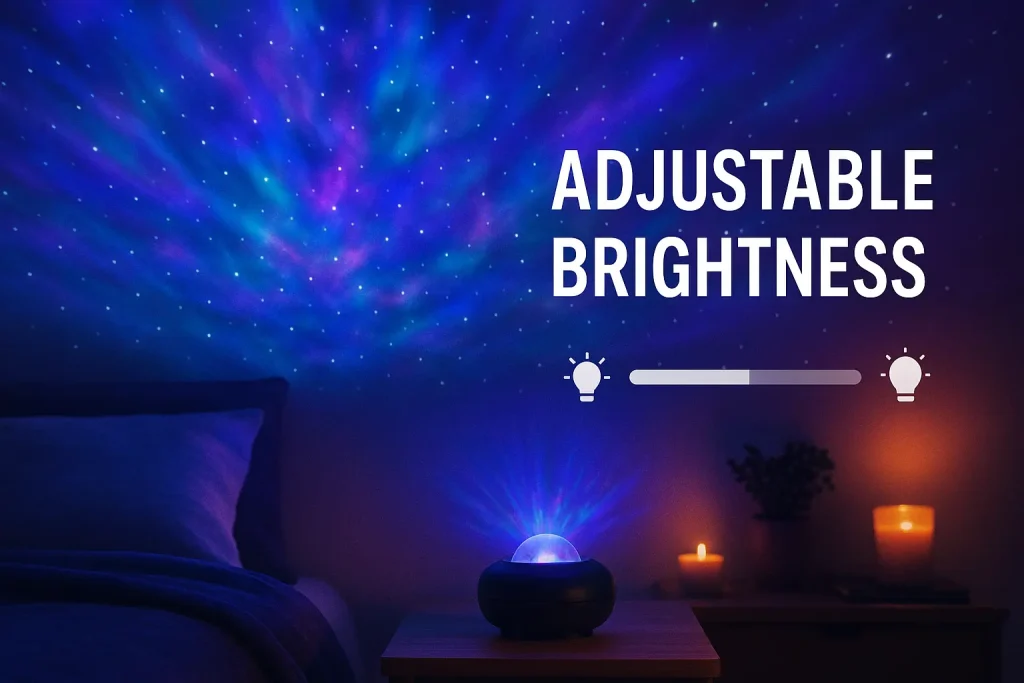
This expert guide provides a definitive exploration of the importance of adjustable brightness in galaxy projectors. We will delve into the science of how light intensity affects human mood and perception. We will also offer a detailed review of the technology and user interface that constitute a high-quality dimming system. With a practical guide to calibrating brightness for any activity, this article is a complete resource for understanding why this is a non-negotiable feature for any discerning user.
The Science of Light Intensity and Human Perception
The ability to adjust brightness is not just a matter of preference; it is rooted in the fundamental way our bodies respond to light. The intensity of light in our environment sends powerful signals to our brain, influencing everything from our energy levels to our sleep patterns.
How the Human Eye Adapts to Light and Darkness
The iris in the human eye is a remarkable muscle that expands and contracts to control the amount of light reaching the retina. In a bright environment, the iris constricts. In a dark environment, it dilates. When there is a high contrast—like a bright projector in a dark room—the iris has to work harder, which can lead to strain. Adjustable brightness allows you to reduce this contrast to a comfortable level.
The Link Between Bright Light and Alertness
Bright light, especially in the blue spectrum, is a powerful signal to the brain to be awake and alert. It suppresses the production of melatonin, the hormone that regulates sleep. This is why a bright, vibrant projection is great for a party or social event; it promotes energy and engagement. However, this same brightness would be detrimental to relaxation or sleep.
The Connection Between Dim Light, Melatonin, and Relaxation
As light levels decrease in the evening, the brain begins its melatonin production, signaling that it is time to wind down. A projector that can be dimmed to a very low, warm glow supports this natural process. It provides a calming visual focus without sending a strong “wake up” signal to the brain. This is the scientific basis for using a dim projector as a sleep aid.
Preventing Eye Strain in Low-Light Environments
Watching a movie or relaxing in a dark room with a single, overly bright light source is a recipe for eye strain and headaches. The sharp contrast forces your eyes to constantly readjust. An adjustable brightness projector allows you to create a soft, ambient “bias light” that raises the overall light level in the room gently, making the entire experience more comfortable and sustainable.
Reviewing the Ideal Adjustable Brightness Projector
Excellent brightness control is a hallmark of a high-quality galaxy projector. This expert review breaks down the key components of a superior dimming system, from the internal technology to the user interface.
The Technology: How LED Dimming Works
The brightness of the projector’s nebula effect is controlled by regulating the power sent to its LEDs. There are two common methods for this. Cheaper models might use a simple method that can sometimes produce a subtle flicker, which can be distracting. High-quality projectors use more advanced, smooth dimming technologies that ensure a completely stable, flicker-free light output at every level of intensity. This is a critical indicator of quality engineering.
The Control Interface: Remotes vs. Apps
The way you control the brightness is crucial to the user experience.
- Basic Remotes: Will typically offer a few preset levels (e.g., 30%, 60%, 100%). This is functional but lacks precision.
- Advanced Remotes: May have dedicated buttons to incrementally increase or decrease the brightness.
- App Control: The superior method is a galaxy projector with app control. A dedicated app provides a slider for 1-100% granular control, allowing you to dial in the exact intensity you desire with perfect precision.
The Range: From a Bright Glow to a Faint Glimmer
The “dynamic range” of the brightness control is a key performance metric. A great projector is not just about getting bright; it is also about getting exceptionally dim. The ideal device can produce a vibrant glow at its highest setting, suitable for a lit room, while also being able to reduce its output to a faint, ethereal glimmer at its lowest setting, perfect for a completely dark room just before sleep.
The Performance: Smooth, Flicker-Free Dimming
When you adjust the brightness, the transition should be completely smooth. A high-quality device will fade seamlessly from one level to the next. Lower-quality models might have noticeable “steps” or even a slight flicker as you adjust the intensity. Smooth performance is a sign of a well-built device.
A Practical Guide to Calibrating Brightness for Any Activity
Mastering the brightness setting allows you to use a single device for a multitude of purposes. Here is a guide to finding the perfect intensity for any situation.
For Sleep and Relaxation: The “Barely There” Approach
When preparing for sleep, the goal is to support melatonin production, not hinder it.
- Brightness Level: Set the projector to its absolute lowest setting (1-10%). The light should be just bright enough to be perceived, providing a gentle visual anchor without significantly illuminating the room.
For Home Theater Viewing: Subtle Bias Lighting
To reduce eye strain and improve perceived contrast while watching movies, create a soft ambient glow.
- Brightness Level: Set the projector to a low-to-medium level (15-30%). The light should be in your peripheral vision but should never be bright enough to draw your attention away from the screen.
Social Gatherings: Creating an Energizing Atmosphere
For a party or when friends are over, the projector can be a vibrant centerpiece.
- Brightness Level: A medium-to-high setting (60-90%) works well. In a room with other lamps on, a brighter projection is needed to ensure the colors are rich and the effect is noticeable.
Children’s Bedtime: A Comforting Nightlight Level
As a nightlight for a child, the brightness should be comforting but not stimulating.
- Brightness Level: A low setting (10-25%) is ideal. It provides a sense of security against the fear of the dark without being bright enough to interfere with their sleep cycle.
For General Ambiance and Decor
When using the projector as a dynamic piece of background decor, the brightness should be noticeable but not overwhelming.
- Brightness Level: A medium setting (40-60%) is typically a good starting point. This makes the projection a clear feature of the room’s design without being overpowering.
How Brightness Control Enhances Other Features
Adjustable brightness is a foundational galaxy projector feature that works in synergy with nearly every other function of a galaxy projector, making them more effective and versatile.
The Foundation of Color: How Brightness Affects Multiple Colors
The perceived richness of a color is directly tied to its intensity. A galaxy projector with multiple colors relies on brightness control to express its full range. A deep red at 20% brightness feels romantic and cozy. The same red at 90% brightness feels energetic and intense. Brightness is the tool you use to control a color’s emotional impact.
Setting the Stage for the Galaxy Projector with Timer
The galaxy projector with a timer is a crucial sleep aid. The wind-down routine before activating the timer involves gradually lowering the brightness to signal to your brain that it is time for rest. The brightness control and the timer function work hand-in-hand to create a healthy sleep environment.
Voice-Controlled Dimming with Alexa & Google Home
The convenience of a galaxy projector with Alexa & Google Home is most apparent when controlling brightness. Simple commands like, “Alexa, set the Galaxy Light to 20 percent,” allow for precise, hands-free adjustment of the room’s mood.
Balancing Light with Sound from a Bluetooth Speaker
When using a galaxy projector with Bluetooth to play music, brightness control is key. For upbeat party music, you want bright, vibrant lights. For a calming ambient track, you want a very dim, subtle glow. Adjusting the brightness allows you to match the intensity of the light to the intensity of the sound.
The Technical Nuances of Brightness in Projectors
The way an ambient projector creates and controls light is very different from the technology used in a data or video projector.
Why Galaxy Projectors Don’t Use Lumens
You will see data projectors rated in “lumens,” a measure of total light output. Galaxy projectors are not rated this way because their purpose is different. They are not designed to project a bright, legible image. They are designed to create a diffuse, atmospheric glow. Their brightness is about creating a mood, not displaying information, so a lumen rating is not a meaningful metric.
Ambient vs. Data Projection: A Tale of Two Technologies
The difference is clear when comparing the internal workings. A traditional LCD projector uses a single, very powerful lamp. It controls brightness by using LCD panels to block or allow light to pass through. A galaxy projector uses a collection of lower-power LEDs. It controls brightness by modulating the electrical current sent to these LEDs. The former is designed for power and clarity; the latter is designed for subtlety and control.
The Role of Independent Element Brightness Control
The most advanced projectors allow you to control the brightness of the stars and the nebula independently. This is a key feature for customization. You can have a bright, swirling nebula with very faint, subtle stars, or a dark sky with only a brilliant starfield. This independent control multiplies the number of possible atmospheric combinations.
Who Needs Granular Brightness Control Most?
While everyone benefits from adjustable brightness, it is a particularly critical feature for certain users.
Light-Sensitive Individuals
For people who are sensitive to light or suffer from migraines, precise brightness control is an absolute necessity. The ability to dim the projector to a very low, comfortable level makes the device accessible and enjoyable.
Users Focused on Sleep Hygiene
Anyone serious about improving their sleep needs granular brightness control. The ability to create a very dim, non-disruptive light is essential for supporting the body’s natural sleep cycle.
Home Theater Enthusiasts
For a home theater, the brightness of the ambient light must be perfectly calibrated to avoid screen glare and distraction. Enthusiasts need the precision of a 1-100% slider to find the exact sweet spot for their setup.
Anyone Seeking a Truly Versatile Device
If you want to use your projector for multiple purposes—parties, relaxation, movies, and decor—then a wide and granular brightness range is the feature that makes this versatility possible.
The Key to Perfect Ambiance
Adjustable brightness is the single most important feature for unlocking the true potential of a galaxy projector. It is the fundamental control that allows a single device to create an infinite variety of moods. It is the key to visual comfort, the foundation of a healthy sleep routine, and the tool for tailoring the atmosphere to any imaginable activity. From the vibrant energy of a social gathering to the profound tranquility of a meditation space, the perfect ambiance is always a matter of getting the intensity just right.
While advanced features like app control and voice commands are powerful, they all serve to manipulate the core elements of light. Of these, brightness is the most critical. When choosing a galaxy projector, look for a model with a wide, smooth, and precisely controllable dimming range. This is the feature that will ensure your device is a constant source of comfort and delight, perfectly calibrated to every moment of your life.